Inside Git: How It Works and the Role of the .git Folder

1. How Git Works Internally
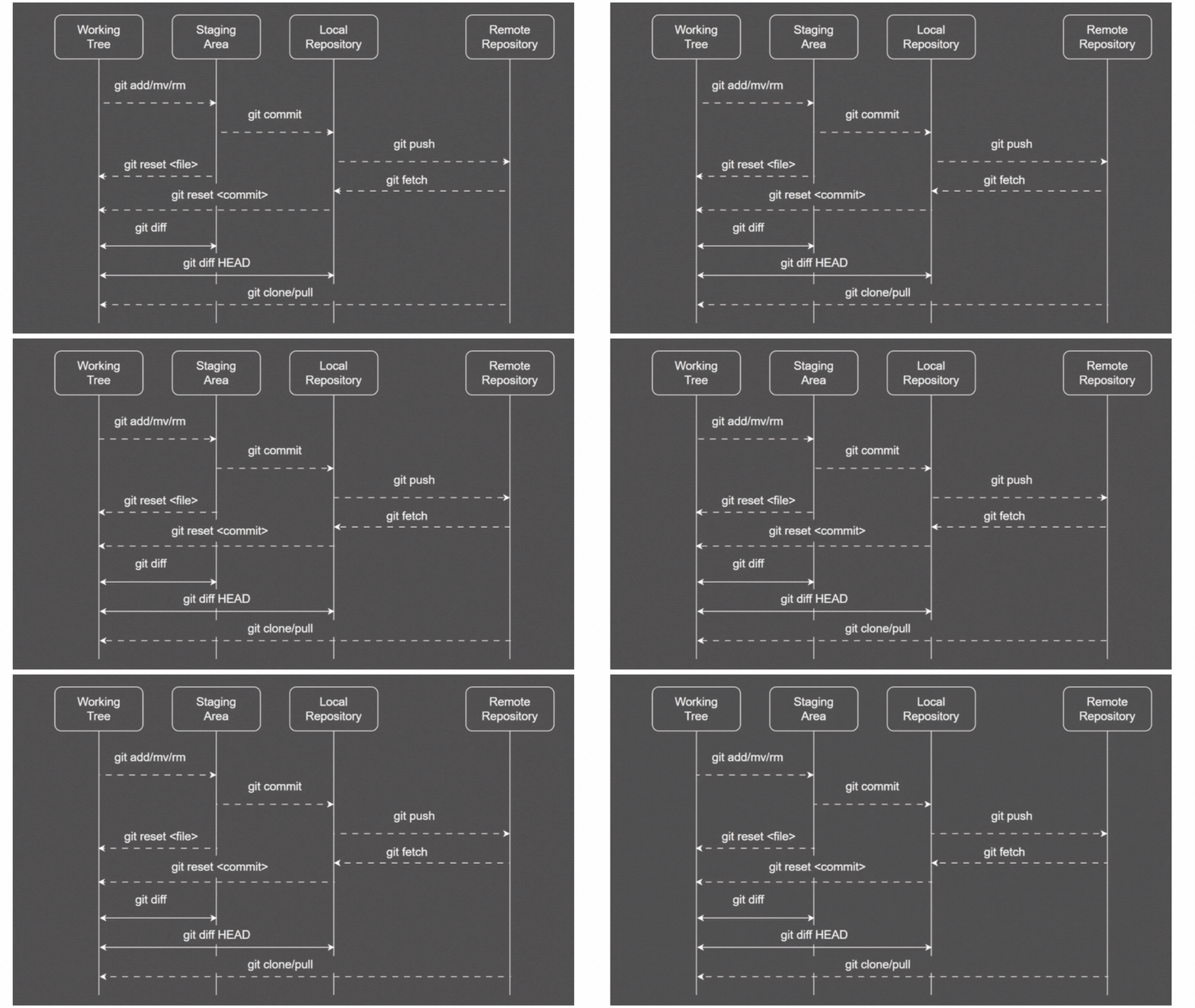
mainly git has three main stage that is working tree , staging area and the local repository. whatever you work upon it stages on the working tree . as you do git add , it will create git object for each file . then you do git commit then , for each commit , it will be creating a tree object , which connect the current bob object and the previous tree . and the git commit connect with current git object and teh previous commit
2. Understanding the .git Folder
.git is the git tracking folder which is used to store the changes on the repository

this is how the .git folder looks like.
3. Git Objects: Blob, Tree, Commit
to understand the git objects in the simple terms, we will go though pratically. so will start with the first command git int .

this means the git repository is initialized. now lets check what inside the .git

we can clearly see the bunch of file and folders. you might have noticed that there there is objects/ , this is the same topic what we are studying .so now lets see what is inside the objects/ folder.

we can clearly see that inside the objects/ , there is info/ and pack/ folder, but the info and pack folder was empty .so now lets create some file and add some content on it .

i have created the demo1 file and added the content on it . so now lets the move the file to staging area from the unstaged area and do commit.

so after commiting , you can see that it is displayed 1 file changed and 1 insertion(+).so it is temporarly stored in local repository . hope you all know what is repository , if you dont know then google-search or refer to my previous blogs , you can understand. now lets check the same object folder inside the .git file .

you can clearly see the three new folder has been added.now lets open the 03 folder and check what is inside inside it

found the hash value of 38 character.

the command is git cat-file -t <hash value> .actually total number of charcter in hashvalue , the first two character is used for folder naming and the remaining is used as reference value which is used to store something.we found that the file type of this hashvalue is bob .the bob is one of the git object that we are trying to understand.now lets checks value of this hash value.

git cat-file -p <hash value> it is used display the content of the hashvalue ,acutally the hashvalue is the address which used to store something . we got the content called hello geeks the same content we store in the file demo1.txt.it is ovious the bob object is used store the changes made in your local repository.now lets check the file type and content of two other folder which we found.

by running the command we found the file type as tree which is git object.inside this object we found

tree object basically store the bob object(with hash value with file name).

last folder type is commit which is the git object.its check that what inside it.

the commit object store the tree object , author and committer.again i created another file demo2.txt

note": in the stage area only the bob object is created while when the file move from the staging area to the local repository the tree and commit object is created.


due to above two command more three folder is created for git object like bob , tree and commit.


you may be confused with git cat-file -p 350f2e5c49e2c93cff2f2f62f4e6c15e94ee24c7 ,actutally it is tree whole is storing two bob object , i will explain with the diagram

the tree 1 is created when we did the first commit and tree 2 in second commit .whenever we do anycommit then curent tracked file which is stored in new tree along with all prevous tree is linked with it.the red colured text represent the hash value of that.
now let me explain the relatioship between the bob, tree and commit object with the help of the diagram

as you can see the for each commit it as own tree with its bob object and every commit is linked with the previous commit so it can be tracked easily
4. How Git Tracks Changes
when you create some file or folder and add content on it and then you run the command git add <file-name> ,internally it will create the hash value and out of 40 character of hash value , the first two will the file name and the remaining 38 character can be be found inside the folder which start with two charater hash value.so inside the 38 charater hash value file .so it create the git object file .so if you run command git commit -m “message“ , it will create both git tree and git commit . for each git commit , it have corresponding tree with its bob objects .git uses hashes to ensure the integrity , if there is any change in repository so as the result the hash changes


